 Personal finance · iPhone and Android
Will your money last the month? Creso tells you on the first screen.
Spending, budgets and net worth in one ledger that lives on your phone. It works the minute you install it: no bank to connect, no account to create.
- No ads
- No account
- No cloud
- 8 languages
01 / Budgets
What’s left, not what you’ve spent.
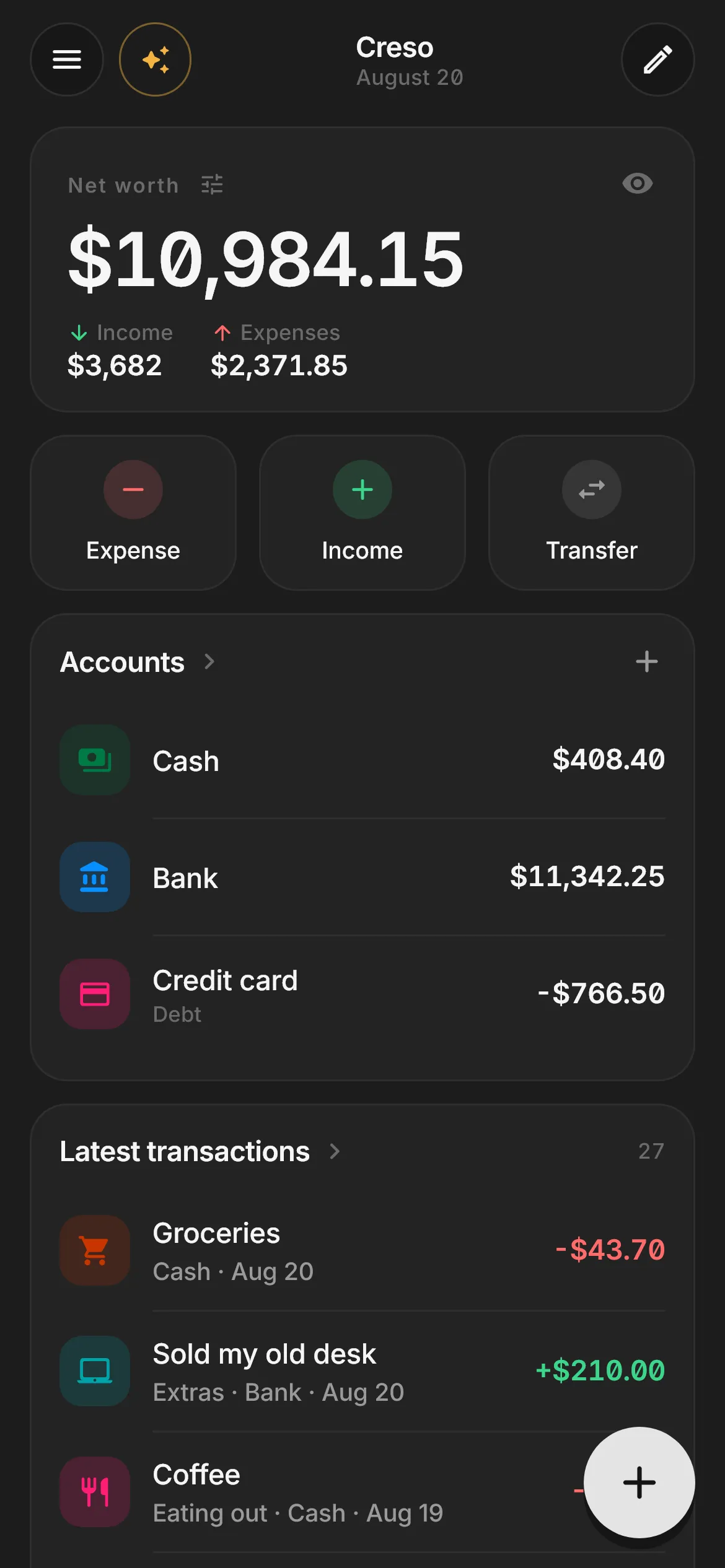
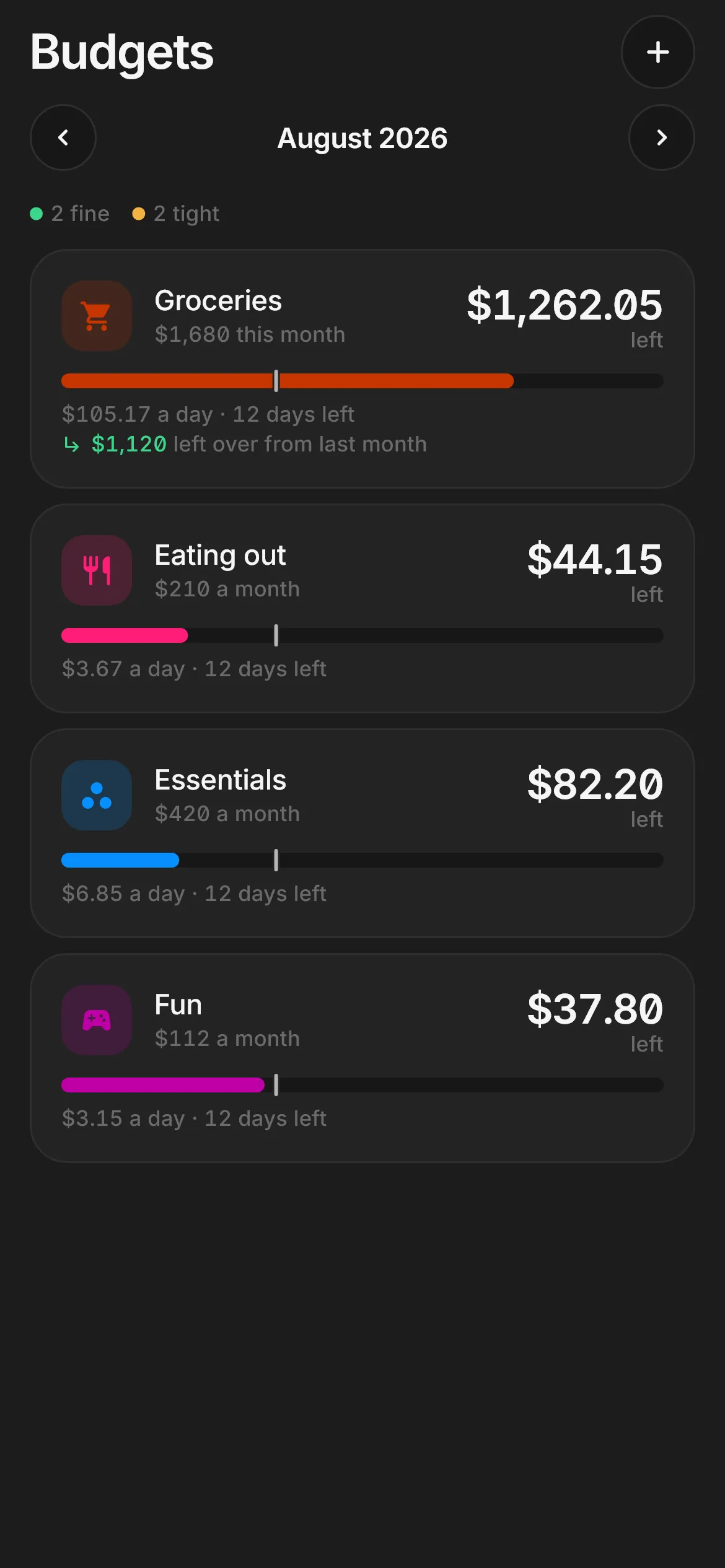
A budget that counts down answers the question you actually have on a Tuesday: how much can I spend today? Creso spreads it over the days left and tells you while you’re logging the expense — not after the money’s gone.
- Whatever’s left over rolls into next month.
- Overspent on one? Cover it from another.
- The marker shows what should be left by now.
August
2 on track 2 tight
-
Groceries
$1,200
$901.50
left
$75.13 a day · 12 days to go ↳ $800 carried over from last month
-
Eating out
$150
$31.50
left
$2.63 a day · 12 days to go
-
Essentials
$300
$58.70
left
$4.89 a day · 12 days to go
-
Fun
$80
$31.20
left
$2.60 a day · 12 days to go
Sample data
02 / End of month
The end of the month, before it gets here.
What you have, plus what’s due, minus your pace. Creso keeps what’s committed — payday, rent, scheduled payments — apart from what’s merely likely, which is an estimate and says so.
By month end
≈ $7,196
- So far
- Committed
- Likely
03 / Fixed costs
A monthly charge is invisible. Said in years, it’s a decision.
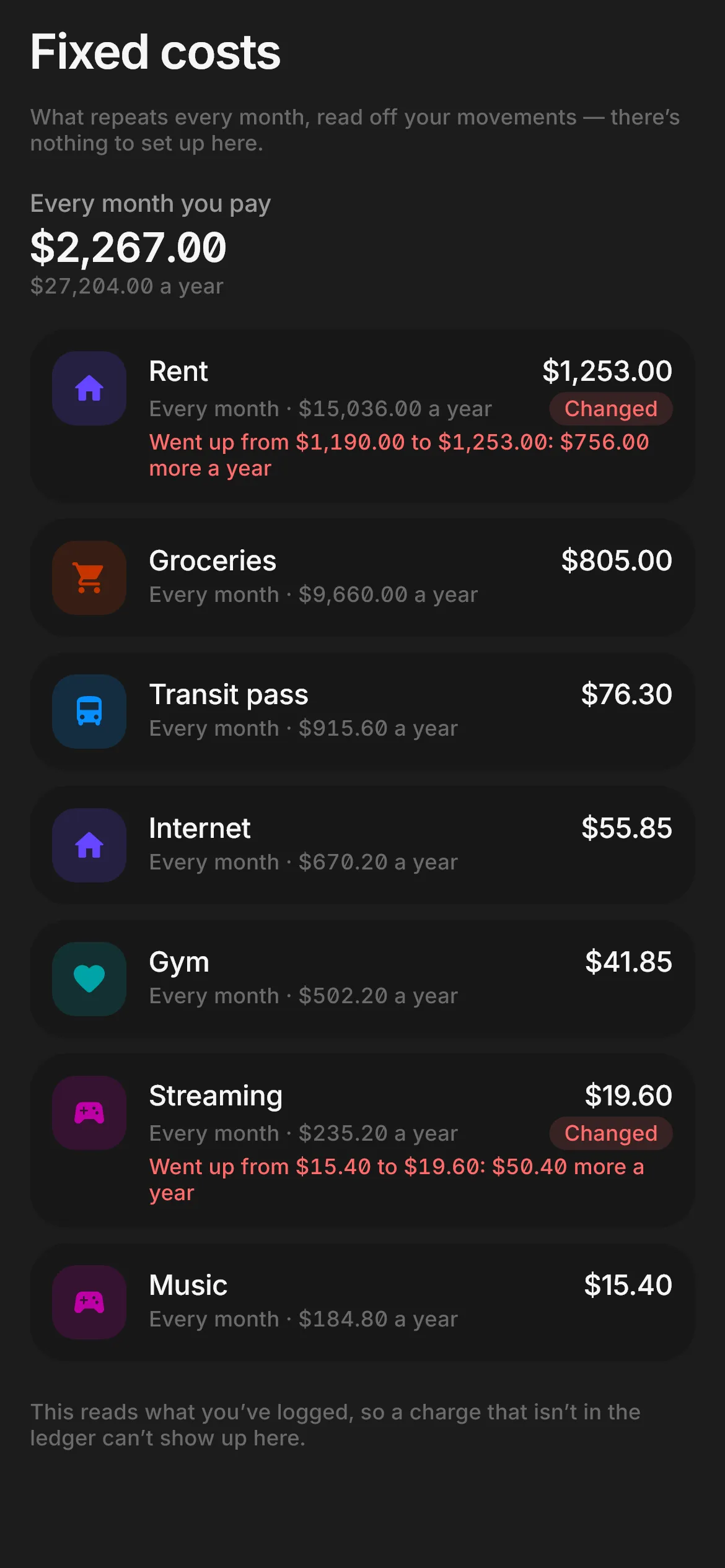
Creso finds what charges you every month on its own, adds it up by the year and flags when a price goes up. Nothing to set up: it comes from what you’ve already logged.
Going out every month
$1,619.28
-
Rent Changed
Went up from $850.00 to $895.00: $540.00 more a year
$895.00
-
Groceries
$575.00
-
Transit pass
$54.50
-
Internet
$39.90
-
Gym
$29.90
-
Streaming Changed
Went up from $10.99 to $13.99: $36.00 more a year
$13.99
-
Music
$10.99
Sample data
04 / Privacy
Your ledger is a file on your phone. That’s it.
No account, no servers. On its own, the app makes exactly one connection: it downloads the European Central Bank’s public exchange-rate table, and only if you hold something in another currency. It sends nothing — not your data, not an identifier — and you can switch it off.
 Your phone
 If you ever leave, you leave with everything: the full backup is yours, and always free.
And if you want your share prices to update themselves, you connect your own account with a market-data provider: the request goes from your phone to that provider, never through us.
05 / Free plan
Free, and not a trial.
- 01
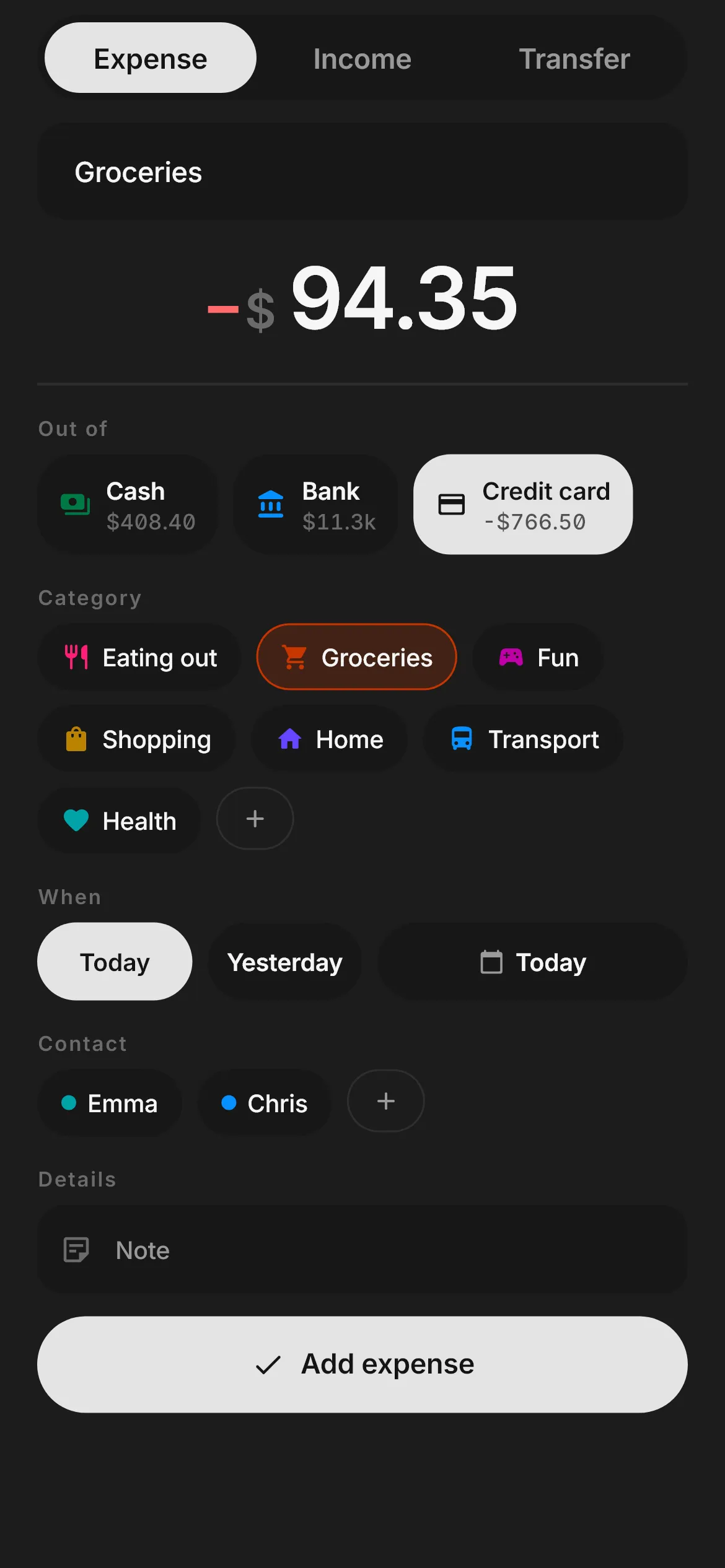
Two taps per expense
Spending, income and transfers. The app suggests the category from what you type.
- 02
Debts, both ways
What you owe and what you’re owed. Dinner for five splits in one tap: “5 people · $10.96 each”.
- 03
Net worth
Every account in a single figure, debts included.
- 04
Paste your bank statement
Import a CSV or paste transactions straight from a PDF or an email, and check them before saving.
- 05
Calculators with a memory
Savings and loans, with 40 years of real market returns to test your assumptions against.
- 06
Widgets and three themes
AMOLED black included. And the receipt photo stays attached to its expense. Widgets are Android only.
06 / The app
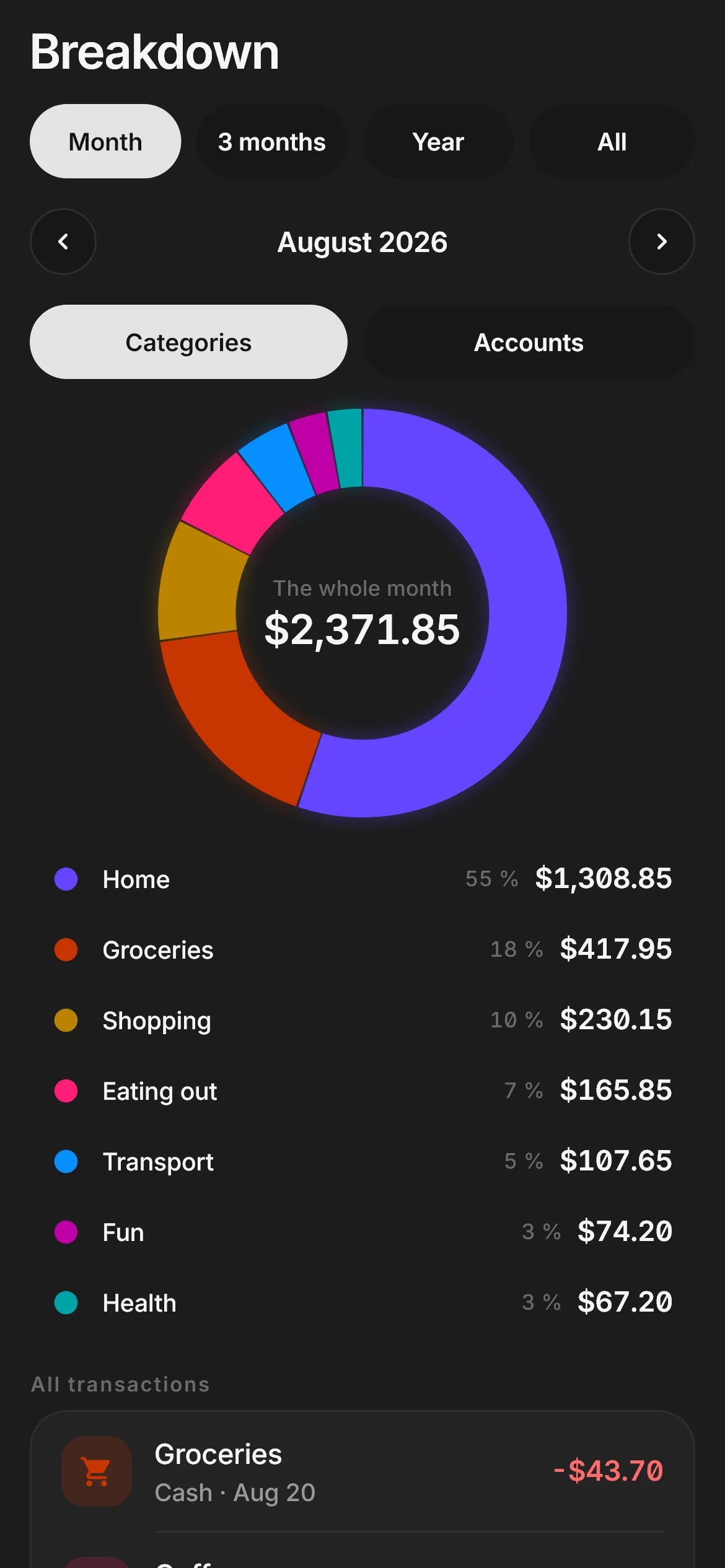
What it looks like inside.
07/Creso Pro
Pro, for when the ledger isn’t enough.
Monthly, yearly — or, on Android, pay once and it’s yours. Not everything has to be a subscription.
Google Play or the App Store sets the price in your currency and shows it before you confirm. On iPhone, Pro is monthly or yearly.
- Investments, with returns weighted by when each dollar went in
- Accounts in other currencies
- A one-page monthly PDF report for your accountant
- Your whole year, told in sentences
- A full-year forecast
- Automatic backups
- Group goals several people fill from their own phones
- Fingerprint or Face ID lock
- Your own icons and colours
- No limits on budgets, goals or scheduled payments
08 / FAQ
What people ask before installing.
Do I have to connect my bank?
No. Creso doesn’t connect to any bank. You log in two taps, import a CSV, or paste transactions from your statement PDF or an email.
Where is my data stored?
On your phone. No account, no servers, no analytics. On its own, the app only downloads the ECB’s exchange rates, and you can switch that off. If you connect your own market-data account, that request goes straight from your phone to the provider.
What if I change phones?
Export the full backup — it’s free — and restore it on the new one. Everything comes with you, receipt photos included.
Are there ads?
No. Not on the free plan, not ever.
How much is Pro?
On Android you can pay monthly, yearly or once; on iPhone, monthly or yearly. Google Play or the App Store sets the price in your currency and shows it before you confirm.
Is there an iPhone version?
Yes, Creso is on the App Store. It does everything on this page except widgets, which are Android only. See Creso on the App Store
Which languages does it speak?
English, Spanish, German, French, Italian, Portuguese, Japanese and Korean.

Start with your first coffee.
Two questions when you open it and you’re already logging. Free, no ads, no account.